Using a database
AWS offers the RDS service to run MySQL and PostgreSQL databases.
Here are some of the database services offered by RDS:
- MySQL
- PostgreSQL
- Aurora MySQL/PostgreSQL : AWS-managed database compatible with MySQL or PostgreSQL
- Aurora Serverless v2 MySQL/PostgreSQL : similar to Aurora but scales automatically on-demand
Aurora Serverless can be configured to scale down to 0 when unused (no instance cost). Resuming takes about 15 seconds, and 30 seconds or more after a pause longer than a day: the first HTTP request can time out. Keep the auto-pause for development and test databases.
AWS also offers Aurora DSQL, a serverless database compatible with PostgreSQL: it needs no VPC, no password, and costs nothing while idle. Read when to use it rather than an RDS database.
Internet-accessible vs VPC databases
| Internet-accessible | VPC (private network) | |
|---|---|---|
| Security | Password only | Network-isolated + password |
| Best for | Non-critical projects | Projects requiring strong isolation |
| Complexity | Simple | Requires VPC + NAT |
| Extra cost | None | ~$7/month (NAT instance) to ~$36/month (NAT Gateway) |
| Access from your machine | Direct connection | Via SSH tunnel (e.g. 7777 ) |
An internet-accessible database is the simplest option and works well for most projects. Use a VPC database when you need stronger network isolation.
Internet-accessible databases
Bref Cloud
In the Bref Cloud dashboard, open the “Databases” page and click “Create database” .
Bref Cloud can create classic RDS databases as well as serverless databases (Aurora Serverless v2 ), in both MySQL and PostgreSQL flavors. Serverless databases scale automatically with traffic and can auto-pause when unused.
Fill in the form and click “Create”:
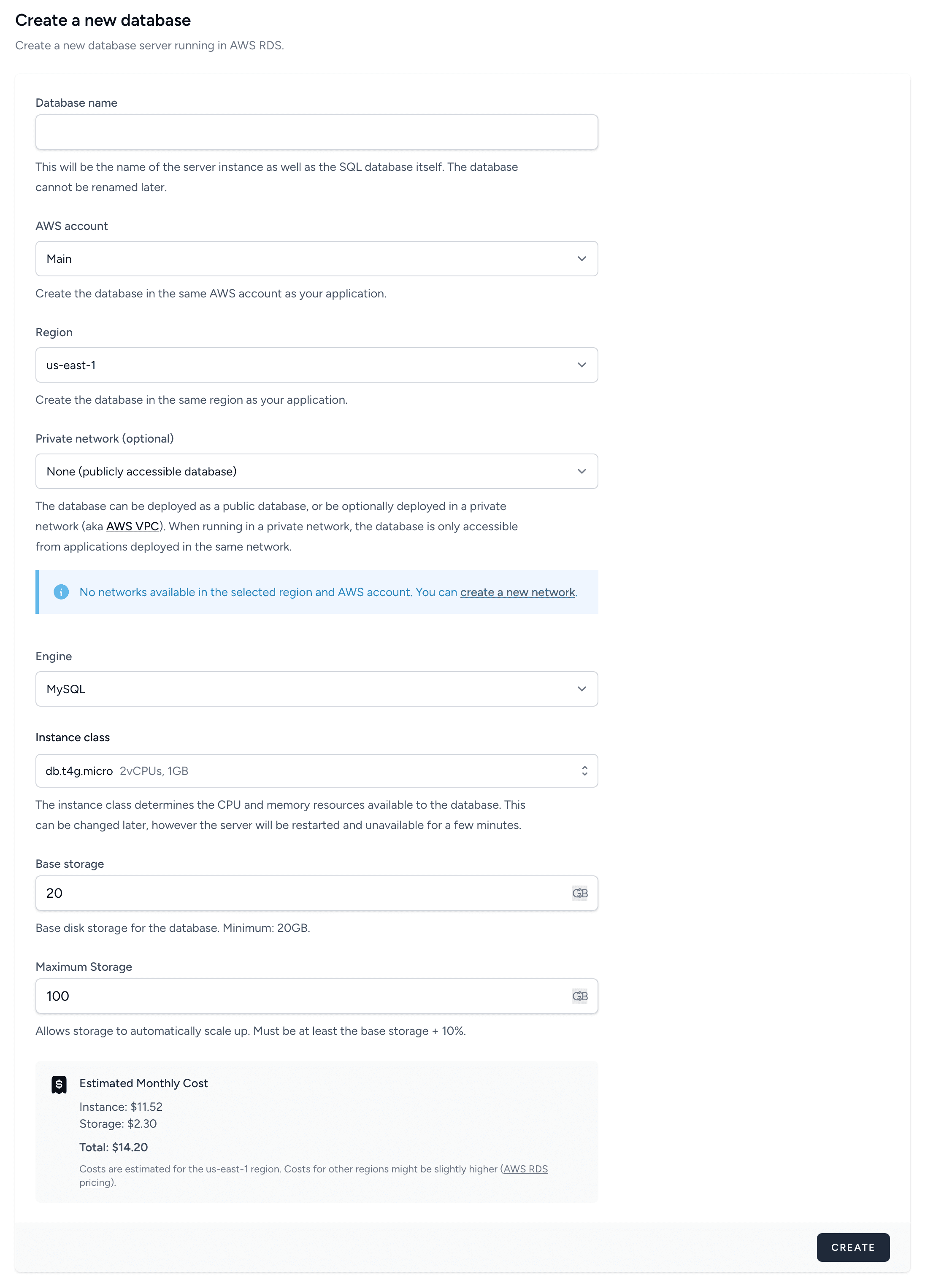
The configuration with credentials securely stored in SSM will be displayed once the database is created.
VPC databases (private network)
Bref Cloud
Bref Cloud handles VPC creation, subnets, security groups, and internet access (NAT) for you.
1. Create a network in the Bref Cloud dashboard:
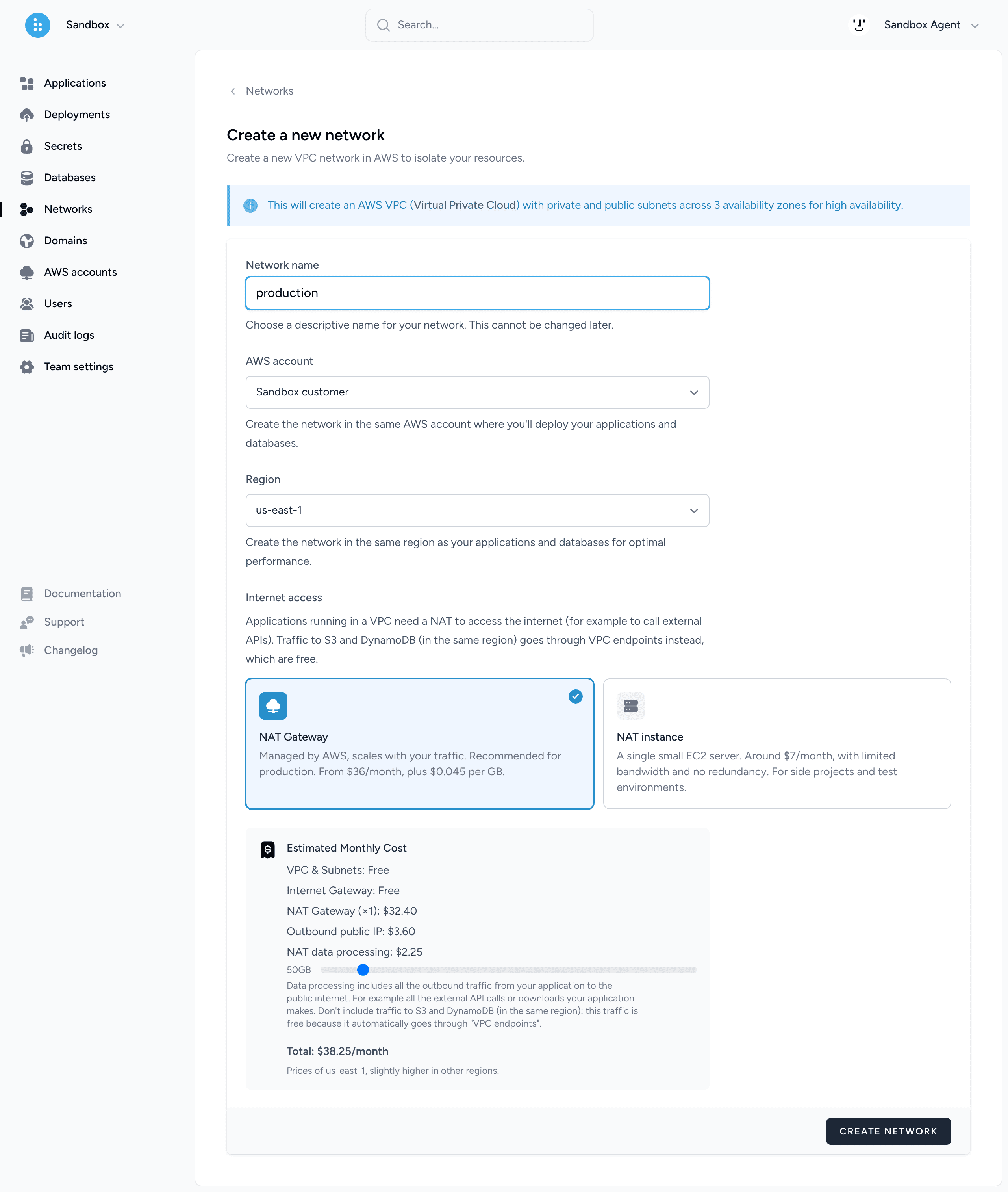
The network includes a VPC, subnets, security groups, and a NAT so that your applications can access the internet. Choose between:
- NAT Gateway (~$36/month + $0.045/GB): managed and scaled by AWS, for production.
- NAT instance (~$7/month): a single small EC2 instance, with limited bandwidth (~30 Mbps sustained) and no redundancy, for side projects and test environments.
You can switch a network from one to the other at any time in its settings. A single network can be reused across multiple applications and databases.
2. Create a database and select the network you created.
3. Deploy — Bref Cloud automatically adds the VPC configuration to your deployment. No changes to serverless.yml are needed.
Learn more in the AWS documentation about configuring a Lambda to access resources in a VPC .
Connecting from PHP
Bref Cloud automatically creates SSM parameters for your database credentials and provides the environment variables to set up.
If you are not using Bref Cloud, store credentials in SSM parameters (read more) and configure the environment variables in serverless.yml:
Laravel
provider:
    environment:
        DB_HOST: <endpoint>
        DB_DATABASE: my_database
        DB_USERNAME: ${ssm:/my-app/db-username}
        DB_PASSWORD: ${ssm:/my-app/db-password}
Laravel reads these environment variables automatically to configure the database connection.
Also refer to the Extensions section to see if you need to enable any database-specific extensions.
Connections at scale
Each Lambda instance handles one request at a time and opens its own database connection. With 200 concurrent requests, the database receives 200 connections. The maximum number of connections (max_connections) depends on the memory of the database instance: the smallest instance classes accept around a hundred connections or less. Above that limit, connections fail with a “Too many connections” error.
If your traffic can exceed that limit, you can:
- Use a larger database instance.
- Limit the number of concurrent Lambda instances of a function with its
reservedConcurrencyoption (documentation ). Requests beyond that limit are throttled. This is useful for queue workers, which could otherwise flood the database. - Use RDS Proxy to pool connections between Lambda and the database. RDS Proxy is only reachable from inside a VPC, has an extra cost, and prevents Aurora Serverless from auto-pausing.
functions:
    worker:
        # ...
        reservedConcurrency: 20
Running database migrations
Laravel
Bref Cloud
bref command "migrate --force"A console function must be defined in your serverless.yml. Check the “Getting started” guide corresponding to your framework for an example.
Accessing the database from your machine
Internet-accessible databases can be connected to directly from your machine using tools like TablePlus, DBeaver, or any database client.
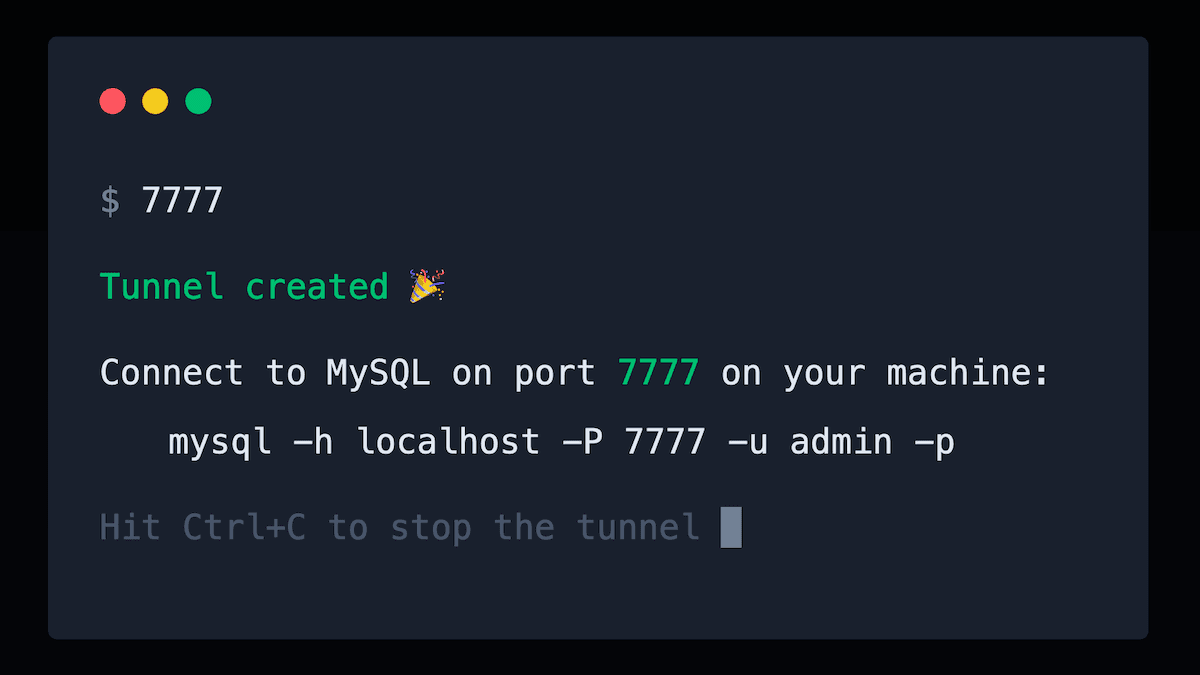
VPC databases cannot be accessed from the internet directly. To connect from your machine, use an SSH tunnel.
To create an SSH tunnel easily and securely, check out 7777 , made by Bref maintainers:
To expose the database publicly on the internet instead, follow this guide.